Audio converter that never uploads your file
MP3, M4A, WAV, FLAC, AAC, ALAC, OGG, AIFF, WMA and iPhone ringtones — converted inside this tab by FFmpeg, not on somebody's server. No account, no daily limit.
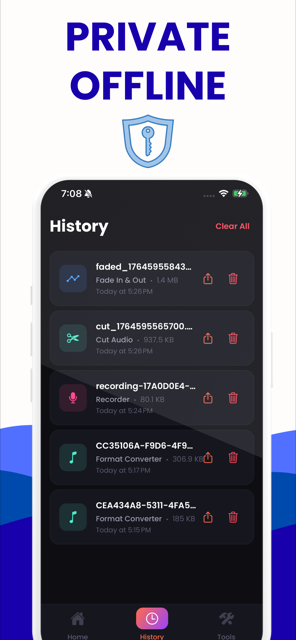
Free on iPhone and Android — for the recordings already on your phone, and it works with no signal.
- Nothing is uploaded — open DevTools and watch the network stay empty
- No account, no daily limit, no ads, no third-party scripts at all
- Skips the encoder entirely where it can, which is lossless and takes about a second
- Ten output formats, and it reads the audio inside video files too
Convert audio — in this tab
MP3, M4A, WAV, FLAC, AAC, ALAC, OGG, AIFF, WMA and iPhone ringtones. No upload, no limit.
Starting the converter…
Why this one is different
Most online converters send your file to a server, cap what you can do for free, and re-encode everything whether it needs it or not. This one runs in the page, skips the encoder when the audio already suits the container, and tells you what a conversion will cost before you press the button.
- Stream copy is real and measured: AAC inside an .m4a goes into .m4a, .aac or .m4r with no encoder invoked, and so does the AAC soundtrack inside an .mp4 or .mov. We checked a real pair — the extracted audio stream matched byte for byte across all 244,087 bytes, and so did the decoded audio across all 2,117,710. Competitors that upload must re-encode, and Web Audio clones must decode to PCM first.
- Ten output formats — MP3, M4A (AAC), AAC (ADTS), WAV 16/24-bit, FLAC, ALAC, OGG Vorbis, M4R, AIFF, WMA — against the app's four. Inputs include M4B, Opus, AMR, APE, WavPack, Musepack, DTS, CAF and the soundtrack inside eleven video containers.
- No account, no email, no credits, no watermark, no per-day job counter, and no paid tier — because your CPU does the work and there is nothing to meter. The only ceiling is your own tab: we warn above 300 MB and refuse above 2 GB, and we say so rather than claiming 'unlimited'.
- We publish what we cannot do. Opus output is refused outright because libopus crashes this WebAssembly build and FFmpeg's experimental encoder would quietly hand you a worse file. A .cda file cannot be converted by anyone, including us. DRM-protected files cannot be converted at all.
- Verify it yourself in 20 seconds: open DevTools → Network, convert a file, and count the requests made during the conversion. Zero. Then turn off Wi-Fi after the page loads and convert again — it still finishes.
Nothing is uploaded
The converter is FFmpeg compiled to WebAssembly and it runs in this tab. There is no upload step to opt out of, no queue, and no copy of your recording sitting on a server waiting to be deleted in 24 hours. Turn off your Wi-Fi after the page loads and it still works.
It skips the encoder when it can
An M4A becoming an M4R ringtone, or the AAC soundtrack coming out of an MP4, does not need re-encoding at all — the audio is re-wrapped untouched. A copy like that finishes in about a second whatever the length, and every sample comes out identical — we measured the extracted audio stream and the decoded audio, and both matched exactly. Sites that re-encode everything cannot offer this.
It tells you what a conversion costs
Before you press the button it says whether you are about to lose anything — and it will tell you that asking for 320 kbps from a 128 kbps file makes the file bigger without making it better. No other converter will talk you out of the setting you picked.
How it works
Choose your file
Click the box or drag a file in. It is read from your disk by the page itself — nothing is sent anywhere, which is why this works with the Wi-Fi switched off.
See what you actually have
The converter reads the real codec, sample rate, channels and bitrate out of the file and shows them. Most sites make you upload first and tell you nothing.
Pick a format
It tells you before you commit whether the conversion is lossless, a straight copy, or a second lossy encode — and what that costs.
Download it
The finished file appears in your downloads. It never existed anywhere but your own machine.
The engine is a 32 MB download the first time and cached for a year after that. The long version, including what it cannot do.
Formats it writes
Ten output formats, and it reads far more than that — 30 audio extensions plus the soundtrack inside 15 kinds of video file.
| Extension | Format | Type | Use it when | Copies losslessly from |
|---|---|---|---|---|
| .mp3 | MP3 | Lossy | Plays on everything ever made. The safe answer. | MP3 |
| .m4a | M4A | Lossy | AAC in an Apple container — better than MP3 at the same bitrate. | AAC |
| .wav | WAV | Uncompressed | Uncompressed. What editors and transcription tools ask for. | 16-bit PCM |
| .flac | FLAC | Lossless | Lossless and about half the size of WAV. | FLAC |
| .aac | AAC | Lossy | Raw AAC stream. Use M4A unless something specifically asked for .aac. | AAC |
| .m4a | ALAC | Lossless | Apple Lossless, in an .m4a. FLAC quality, but native to Apple Music. | ALAC (Apple Lossless) |
| .ogg | OGG | Lossy | Vorbis in OGG. Common in games, Godot and Unity. | Vorbis |
| .m4r | M4R | Lossy | iPhone ringtone. What iTunes and Finder require; iOS 26 also takes a plain MP3. | AAC |
| .aiff | AIFF | Uncompressed | Uncompressed, big-endian. Logic and older Mac audio tools. | — |
| .wma | WMA | Lossy | Windows Media Audio, for hardware that predates everything else here. | WMA |
Which conversions skip the encoder entirely
Where a "copy" appears below, the audio is not decoded and re-encoded — it is lifted out and re-wrapped. The output is sample-identical to the input and it takes about a second regardless of length.
| Your file is… | MP3 | M4A | WAV | FLAC | AAC | ALAC | OGG | M4R | AIFF | WMA |
|---|---|---|---|---|---|---|---|---|---|---|
| MP3 | copy | · | · | · | · | · | · | · | · | · |
| AAC | · | copy | · | · | copy | · | · | copy | · | · |
| ALAC (Apple Lossless) | · | · | · | · | · | copy | · | · | · | · |
| FLAC | · | · | · | copy | · | · | · | · | · | · |
| Vorbis | · | · | · | · | · | · | copy | · | · | · |
| Opus | · | · | · | · | · | · | · | · | · | · |
| WMA | · | · | · | · | · | · | · | · | · | copy |
| 16-bit PCM | · | · | copy | · | · | · | · | · | · | · |
| AC-3 | · | · | · | · | · | · | · | · | · | · |
Every converter on this site
M4A to MP3
The voice-memo format Windows keeps refusing, turned into the one everything opens.
FLAC to MP3
A whole lossless library down to a size that fits on a phone, folder at a time.
WMA to MP3
Ripped-CD libraries from the Windows Media Player years, rescued for a phone or a car.
Audio cutter
Keep the thirty seconds that matter and throw away the rest.
Audio joiner
Put several recordings end to end, in the order you choose.
Reduce file size
Pick a size you have to hit, and see what it costs before you commit.
Ringtone maker
Thirty seconds, exported as M4R or MP3 — and on iOS 26 you never need a computer.
The same job on your phone
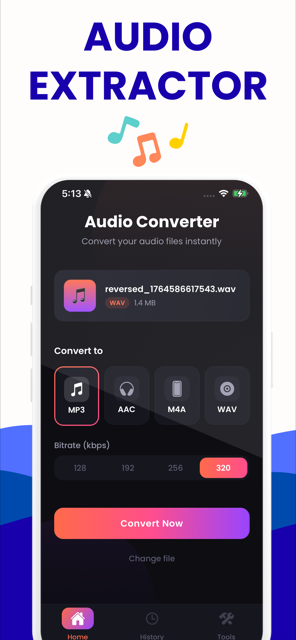
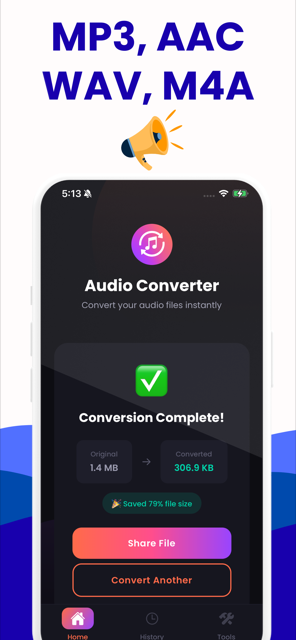
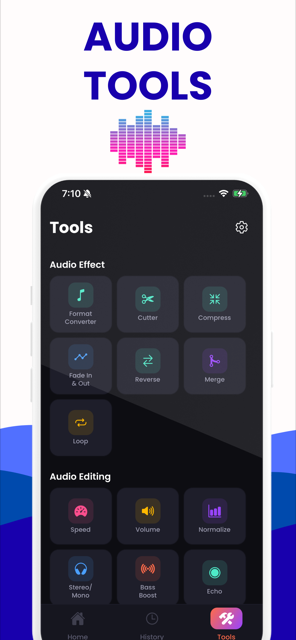
The website is the better tool at a desk, with a file already on the machine. The app is the better tool when the recording is on your phone, when you are offline, or when you want it in the share sheet. Both are free.
Guides
Written for the specific thing you searched for, not a generic "how to convert audio" page.
How to convert an iPhone Voice Memo to MP3
They recorded something on an iPhone — an interview, a lecture, a client call — and the place they need to send it…
ConvertWhy renaming .m4a to .mp3 does not work
They read on a forum — or in a guide that currently ranks — that you can just rename the extension. They either…
ExplainedM4A vs MP3, and what is actually inside an .m4a
Someone sent them a file with an extension they do not recognise, or their phone made one. Brave's PAA for both m4a…
ExplainedDoes converting audio lose quality?
They are about to convert something they care about and want to know what it costs. Every ranking tool page dodges…
Explained320 kbps vs 192 kbps: what you actually get
They are staring at a bitrate dropdown and do not want to pick wrong. Every converter site nudges them to the…
ExplainedWAV vs MP3, and what MP3 to WAV really does
Two searchers land here. One thinks converting to WAV will improve a file they already have. The other has been told…
Step by stepHow to convert M4A to MP3 on Windows 11
They have M4A files on a Windows machine and discovered the OS has no way to convert them. The results they find are…
Step by stepHow to convert M4A to MP3 on a Chromebook
They are on ChromeOS, cannot install the .exe every guide recommends, and may be on a school-managed device where…
Step by stepWhen Apple Music will not convert your file to MP3
Apple's own support page ranks first for the Mac query and answers the happy path. This searcher already followed it…
Questions people actually ask
Are my files uploaded anywhere?
No. The converter is FFmpeg compiled to WebAssembly and it runs inside this browser tab, so your file never travels anywhere. You do not have to take our word for it: open your browser's developer tools, switch to the Network panel, and convert something. There are no requests during the conversion. Or disconnect from the internet after this page loads and convert anyway — it still finishes.
Learn moreDo I need an account, and is there a daily limit?
No account, no email, no credits and no watermark. There is also no per-day conversion counter, because there is no server keeping count — your own processor does the work, so it costs us nothing when you convert a hundred files. The only real ceiling is your device: we warn above about 300 MB and decline above 2 GB, which is the browser tab's limit rather than a rule we invented.
Learn moreDoes converting M4A to MP3 lose quality?
Yes, a little. Both are lossy, so the MP3 encoder has to make its guesses again on audio the AAC encoder has already thinned out. At 192 kbps or above the difference is inaudible to almost everyone, and for speech 96 kbps mono is plenty. What does not help is picking a higher bitrate than the source had — that adds bytes, not detail.
Learn moreCan I just rename a .m4a file to .mp3?
No. Renaming changes the label on the file, not the audio inside it. The contents are still AAC in an MPEG-4 container, so lenient players may open it while the strict ones you were trying to satisfy — submission forms, car stereos, DAWs — still reject it. It is the most repeated piece of bad advice on this subject and it fails exactly where it matters.
Learn moreIs 320 kbps worth choosing over 192?
Rarely. The one measurable difference is that 320 preserves a little over a kilohertz more treble, which sits above most adults' hearing, and nobody has produced a blind test showing 320 beats the top variable-bitrate settings. It costs about 66% more storage. Choose it if you are archiving; 192 is genuinely transparent for most listening, and speech does not need either.
Learn moreWill converting an MP3 to WAV make it sound better?
No. WAV is uncompressed, not restorative — the detail the MP3 encoder discarded is gone, and wrapping what remains in a bigger container will not bring it back. The file will grow roughly tenfold and sound identical. There are good reasons to do it anyway: editors, DAWs and some transcription tools want WAV, and working in WAV avoids stacking up another generation of loss.
Learn moreCan any conversion be done without losing quality?
Two kinds. If the audio is already in the codec you want, we copy it rather than re-encode it — AAC out of an .m4a into an .m4a, .aac or an .m4r ringtone comes out with the audio untouched — we measured the extracted stream and the decoded samples and both matched exactly — as does the AAC soundtrack lifted from an .mp4. And lossless to lossless — FLAC, ALAC, WAV, AIFF — can be converted as often as you like. Everything else is a fresh encode.
Learn moreWhat is an M4A file, and is it lossless?
M4A is a container, not a codec, and that is the catch: it usually holds AAC, which is lossy, but it can hold Apple Lossless instead. The extension does not tell you which, and the two can differ in size by five times. iPhone Voice Memos writes either one depending on a setting. We detect and show you what is actually inside before you convert.
Learn moreHow do I convert an iPhone voice memo to MP3?
Share it out of Voice Memos first — Share, then Save to Files — because the recording is not a normal file until you do. Then convert the .m4a. Do not rename the extension; it does not transcode. And check whether the recipient actually rejects M4A, because plenty of services take it and converting would only cost you a generation of quality for nothing.
Learn moreWhy will Windows Media Player not open my .m4a?
Because an .m4a holds AAC inside an MPEG-4 container, which that player was never taught to read. Microsoft's own forum answers suggest a codec pack or converting to WMA — the first is risky and the second moves you into a more obsolete format. Converting once to MP3, or opening the file in VLC or a browser, both work immediately.
Learn moreCan you convert a .cda file from a CD?
No, and neither can anything else. A .cda is a shortcut of about 44 bytes that points at a track position on the disc; it contains no audio whatsoever, so there is nothing in it to convert. You have to rip the CD with something that reads the disc directly — Windows Media Player Legacy, VLC or Exact Audio Copy — and convert what comes out of that.
Learn moreWhy can I convert Opus files in but not out?
Because the good Opus encoder crashes this WebAssembly build, and FFmpeg's experimental one would quietly hand you a worse file at the same bitrate. We would rather say so than substitute it silently. Opus decoding works perfectly, which is the direction that actually matters — WhatsApp voice notes arrive as Opus and people need them as MP3.
Learn moreMy audio file is too big to email. What do I do?
Trim the dead air first, because that is free. Then drop the bitrate — 96 kbps is fine for speech, 128 for music — and fold a spoken-word recording to mono, which halves it again. Gmail's 25 MB is really about 18 MB of actual file once it is encoded for transit, so aim below that rather than at it.
Learn moreCan I make an iPhone ringtone here?
You can make the file: trim to 30 seconds and export .m4r or a short MP3, and if your source is already AAC the ringtone is a straight copy of the audio with no re-encoding. Installing it is the phone's job, not the browser's. On iOS 26 you can do that from the Files app — long-press, Share, Use as Ringtone — and on older versions you still need Finder or iTunes.
Learn morePut it on your phone too
The recordings you need converted are usually already on the phone. The app converts them there — free, no ads, and it keeps a history so you can share a finished file again without redoing it.
Free on both stores. The web converter above stays free too — no account, no upload, no file limit.